 PartLens
Render a CAD model as a photo-real image, free
Open the model in PartLens, choose Render Studio, give the parts real materials, pick a studio or workshop scene, and render up to 4K (8K on Windows). It is free on Android, iPhone, Windows and Mac, works from STEP, CATIA and STL files, and nothing is uploaded.
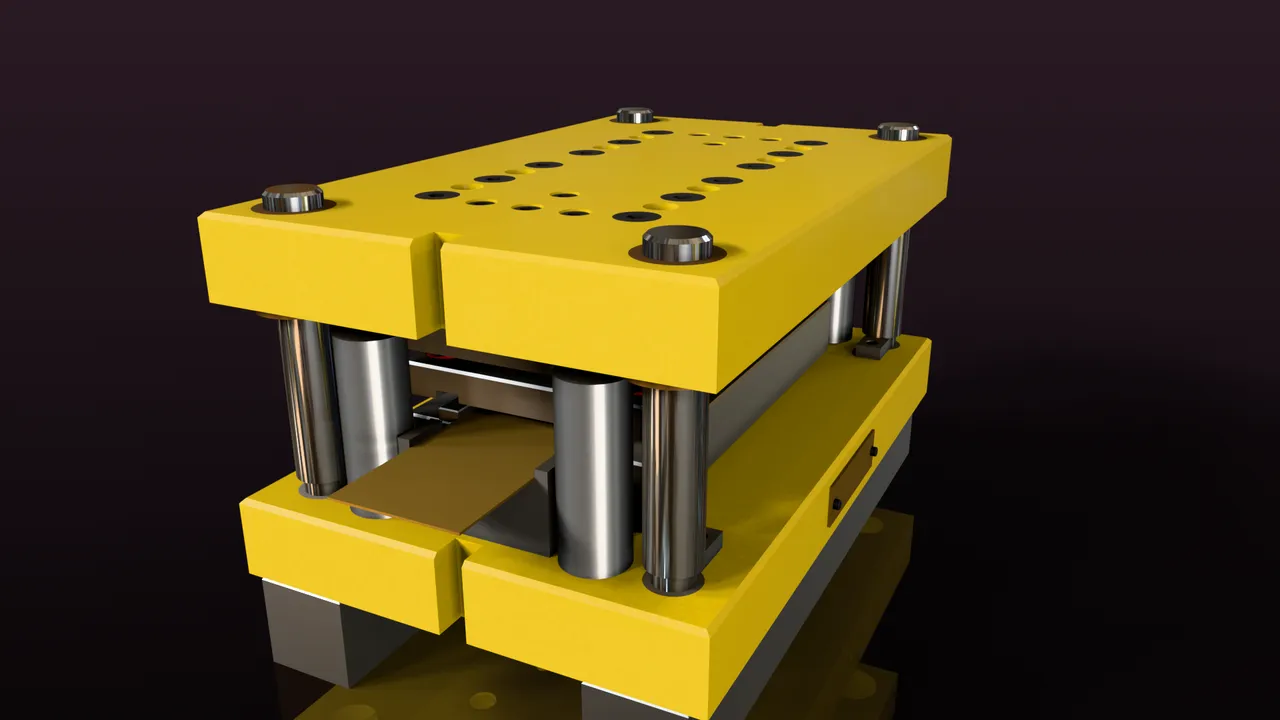
Why render a CAD model
A grey CAD view convinces engineers. A buyer, a customer or a catalogue reader needs to see the part as it will look: steel that reflects, springs in their colour, a shadow on the floor. Render Studio turns the CAD file you already have into that picture in a few minutes, on the device in your hand.
How to render a CAD model
- Open the model: STEP, CATIA V5, 3DXML, IGES, STL, OBJ, glTF or a .partlens project.
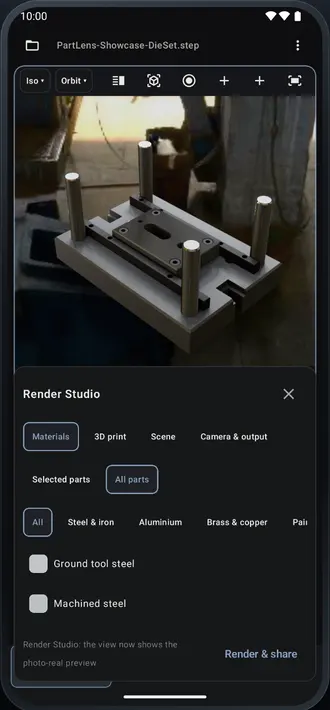
- Open Render Studio. The 3D view becomes a live photo-real preview.
- Give parts materials: ground tool steel, machined or blackened steel, chrome, cast iron, anodised aluminium, brass and copper, paint in any colour, plastics and rubber.
- Light it: studio rigs or photographed workshops and sunsets, with editable lights, exposure, lens, depth of field and background.
- Render and share at standard, square, story or custom sizes.
Show it 3D printed
Makers can preview the printed part before printing: FDM layer lines at the layer height you choose, resin and SLA, SLS and MJF powder, and metal prints. Posters put an exploded view with its parts list, the design next to the printed look, or a blueprint on one page, in sizes ready for Pinterest and stories.
Where it runs
- Windows and Mac: the full Render Studio, up to 8K on Windows, on the computer's own graphics card.
- Android, iPhone and iPad: the same studio up to 4K. Posters are not on iPhone and iPad yet.
Frequently asked questions
Can I render a STEP file without CAD software?
Yes. PartLens opens the STEP file and renders it in Render Studio on your phone, tablet or PC. No CAD licence and no upload are needed.
Is Render Studio free?
Yes. Render Studio, its materials, scenes and image sizes are free in PartLens. A small 'Rendered with PartLens' mark sits in the corner by default and can be switched off.
What resolution can I render?
Up to 4K on Android, iPhone, iPad and Mac, and up to 8K on Windows, in standard, square, story and custom sizes.
Can I show a part as if it were 3D printed?
Yes. Render Studio has FDM layer lines with a chosen layer height, resin, SLA, SLS and metal print finishes, and posters that set the design next to the printed look.
Can I render a CATIA model?
Yes. PartLens opens CATIA V5 parts and assemblies without CATIA, so they can be rendered like any other file.
Render your model now
Free, on the device you have. Your CAD file stays on it.
Get it on Google Play All downloads